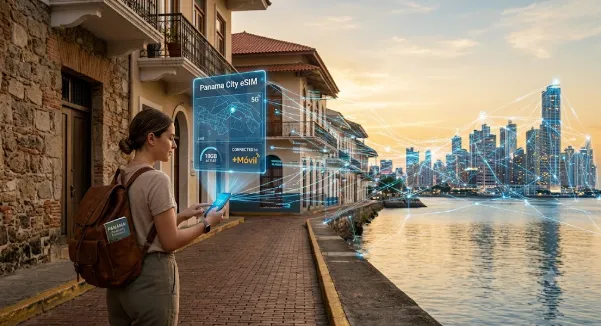
Panama, with its iconic canal, lush rainforests, and vibrant cityscapes, offers an unforgettable travel experience. From exploring the historic Casco Viejo in Panama City to hiking through the cloud forests of Boquete or relaxing on the San Blas Islands, staying connected is often key to making the most of your adventure. Traditional roaming plans can quickly drain your wallet, and hunting for local physical SIM cards upon arrival can be a hassle, especially after a long flight. This is where the magic of an eSIM steps in, offering a remarkably convenient and cost-effective solution for travelers seeking to navigate Panama’s digital landscape with ease. Forget about swapping tiny plastic cards or dealing with language barriers at a phone store; an eSIM empowers you to connect to the internet almost instantly, often before you even land.
What Exactly is an eSIM and Why is it Perfect for Panama?
An eSIM, short for ’embedded Subscriber Identity Module,’ is essentially a digital SIM card built directly into your smartphone or other compatible device. Unlike the physical SIM card you’re used to, an eSIM means there’s no physical card to insert or lose. Instead, you download a ‘profile’ from a mobile network provider directly to your device. This technology has revolutionized how travelers access mobile data abroad, making it incredibly simple to switch between plans and providers without ever touching a SIM tray.
For a destination like Panama, an eSIM proves invaluable. It allows you to maintain your existing phone number for calls and texts (on your physical SIM, if you have one) while using a separate, affordable data plan from a local or regional provider via your eSIM. This dual-SIM capability is a game-changer, ensuring you can stay connected for navigation, ride-sharing apps, booking accommodations, and sharing your Panamanian adventures online, all without incurring exorbitant international roaming charges. The flexibility to activate a plan remotely means you can be connected the moment your plane touches down at Tocumen International Airport, ready to explore without a moment’s delay.
Getting Started: Is Your Phone Ready for Panama’s eSIM Scene?
Before diving into the world of eSIMs, the first crucial step is to confirm your device’s compatibility. Most modern smartphones released in the last few years, particularly flagships from Apple (iPhone XR, XS, and newer), Samsung (Galaxy S20, Note 20, Fold, Flip series and newer), Google (Pixel 3 and newer), and many other brands now support eSIM technology. It’s always best to double-check your specific model, as regional variations can exist. You can usually find this information in your phone’s settings under ‘About Phone’ or by checking the manufacturer’s official website.
Beyond compatibility, ensuring your phone is ‘unlocked’ is equally important. A locked phone is tied to a specific carrier, meaning it won’t accept SIM cards or eSIM profiles from other providers. If you purchased your phone directly from a carrier on a contract, it might be locked. Contact your carrier to confirm its status and, if necessary, request an unlock. This process usually involves fulfilling your contract terms or paying an early termination fee, but it’s a vital step to gain the freedom an eSIM offers for international travel.
Choosing Your Panama eSIM Provider: What to Look For
Once you’ve confirmed your device is ready, the next step is selecting an eSIM provider for your Panamanian journey. A range of global and regional providers offer eSIM plans specifically tailored for Panama, often leveraging the infrastructure of local carriers like +Móvil, Claro, or Tigo. When making your choice, several factors should guide your decision to ensure you get the best value and coverage for your needs.
Consider the data allowance: how much data do you anticipate needing? Plans range from small gigs for light browsing and messaging to larger packages suitable for streaming, video calls, or extensive navigation. Also, look at the validity period – some plans are valid for 7 days, others for 15, 30, or even longer. Price transparency is key; ensure there are no hidden fees and that the cost aligns with your budget. Many providers offer competitive rates, making international data far more affordable than traditional roaming. To compare options and explore Panama eSIM options, dedicated platforms can help you find the right fit for your travel plans.
Activating Your eSIM: A Step-by-Step Guide
The activation process for an eSIM is remarkably straightforward, designed for user convenience. After purchasing your eSIM plan online, you’ll typically receive an email containing a QR code or manual activation details. For most users, the QR code method is the simplest: go to your phone’s settings, navigate to ‘Cellular’ or ‘Mobile Data,’ and select ‘Add eSIM’ or ‘Add Data Plan.’ Your phone’s camera will then open, allowing you to scan the QR code provided by your eSIM provider. Follow the on-screen prompts, and in a few moments, your eSIM profile will be downloaded and installed.
If you prefer or if the QR code isn’t an option, you can manually enter the activation details, which typically include an SM-DP+ Address and an Activation Code. Once your eSIM is installed, remember to switch your phone’s mobile data usage to the new eSIM profile. You might also need to enable data roaming for the eSIM, though this doesn’t incur extra costs with most eSIM plans as it’s part of the package. Crucially, you can usually keep your physical SIM active for calls and texts, allowing you to receive important messages from home while using the eSIM for all your data needs in Panama.
Practical Tips for Using Your eSIM in Panama
Integrating an eSIM into your Panamanian adventure seamlessly involves a few practical considerations. Firstly, always monitor your data usage. Most smartphones offer detailed breakdowns in their settings, helping you avoid running out unexpectedly. Many eSIM providers also offer apps or web portals where you can check your remaining data and easily top up if needed. For instance, platforms like Cellesim provide user-friendly interfaces for managing your data while abroad.
Prioritize Wi-Fi whenever available, especially for heavy data tasks like uploading photos or downloading large files. Public Wi-Fi is common in hotels, cafes, and airports across Panama. Additionally, be mindful of your phone’s battery life. Running multiple SIM profiles can sometimes consume more power, so carrying a portable power bank is a wise precaution, especially during long days of exploring or when venturing into more remote areas. Whether you’re navigating the bustling streets of Panama City with Waze, translating menus with Google Translate, or connecting with local guides via WhatsApp, your eSIM will be your reliable digital companion, ensuring you’re always just a tap away from the information you need.